
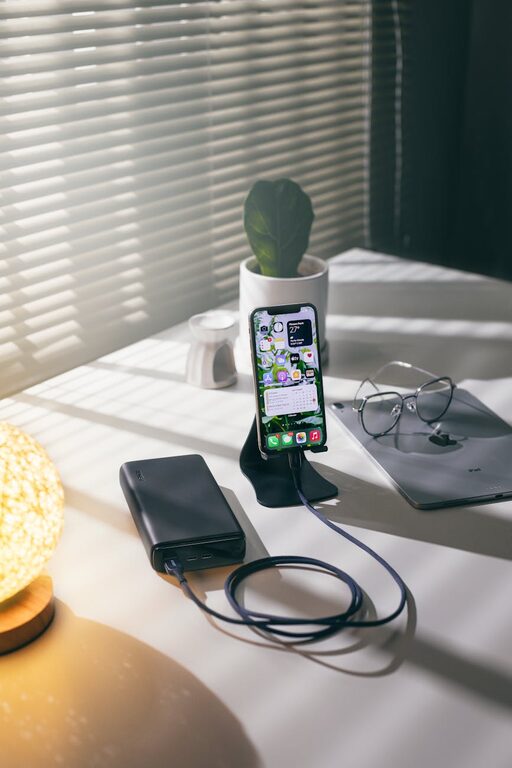
How to Set Up a Charging Station for Your Devices at Home
Setting up a dedicated charging station for your devices is a practical way to keep your gadgets powered and your space tidy. Whether you have smartphones, tablets, wireless headphones, or smartwatches, a well-designed charging area helps you avoid tangled cables and missing chargers. This post will guide you through creating an efficient charging station at home with tips on location, organization, and safety.
Why Set Up a Charging Station?
With more devices than ever needing power, it’s easy for charging cables and accessories to clutter countertops or get lost in drawers. A charging station:
– Centralizes device charging in one spot
– Reduces cable clutter and the risk of damage
– Makes it easy to find your devices and chargers
– Can be customized to fit your space and style
Let’s break down how to set up a charging station step-by-step.
Choosing the Right Location
The first step is to find a suitable spot for your charging station. Consider:
– Accessibility: Choose a location that’s easy to reach, such as near your workspace, living room, or bedside table.
– Power source: Ensure there is an available power outlet nearby.
– Ventilation: Chargers and devices can heat up during charging, so a well-ventilated area is best.
– Safety: Keep charging stations away from water sources like sinks.
Some popular locations include a side table, a shelf near your desk, or a designated drawer converted for charging.
Selecting Charging Equipment
To keep your station efficient, pick the right chargers and accessories.
Charging Hub or Power Strip
A power strip with multiple USB ports is ideal. Look for:
– Sufficient ports: Choose one that supports all your devices, with some extra for guests.
– Fast charging: USB-C Power Delivery or Quick Charge technologies speed up charging for compatible devices.
– Surge protection: Protects your electronics from power spikes.
Charging Stand or Dock
To organize devices neatly, use stands or docks that hold phones, tablets, or earbuds upright. Some options include:
– Multi-device charging stations with built-in cables.
– Wireless charging pads or stands for compatible devices.
– DIY holders made from materials like wood or acrylic.
Cable Management Tools
Prevent tangling with cable clips, holders, or sleeves. Velcro straps can bundle cables when not in use.
Organizing the Charging Station
A neat setup makes daily use easier.
Arranging Devices
– Place devices so screens are visible and accessible.
– Group similar items together (e.g., phones on one side, earbuds on another).
– Use labels if needed to identify cords for each device.
Managing Cables
– Shorten cables using ties or winders.
– Route cables behind or under furniture when possible.
– Use adhesive clips to secure cables along surfaces.
Storage for Extras
Designate a small container or drawer nearby for spare chargers, adapters, or batteries.
Safety Tips for Your Charging Station
Keep your station safe by following these pointers:
– Avoid overloading outlets or power strips.
– Use chargers and cables recommended by device manufacturers.
– Keep liquids away from electronics while charging.
– Periodically inspect cables for wear and replace damaged ones.
– Unplug chargers during storms to prevent electrical damage.
Maintaining Your Charging Station
To keep your station efficient:
– Regularly dust devices and charging area to prevent overheating.
– Reevaluate your charging needs periodically and adjust equipment.
– Encourage family members to use the station to keep devices organized.
Bonus: Creative Charging Station Ideas
– Portable charging caddy: A box with compartments and built-in charger for easy transport.
– Hidden drawer charger: Incorporate charging inside a desk or cabinet drawer.
– Decorative organizer: Use plant pots or decorative boxes with cable holes for a stylish look.
Conclusion
A well-planned charging station helps keep your devices powered and your living space clutter-free. Start by choosing the right location, selecting suitable chargers, and organizing cables effectively. With a little creativity and care, your charging station can become a convenient and attractive part of your daily routine.
Happy charging!
